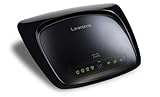
I just bought the router today and the thing does not work. I followed the installation procedures and I am having problems connecting with the internet with the router present.
The installation was a snap but after the installation, I could not connect. I talked to Tech Support and they helped somewhat and I was treated well but the woman admitted to me that they are getting many calls about connection problems. She helped me connect my desktop but my laptop was not working wireless or with the network cable with no success. She said that I would have to go to level 2 support...
Network settings can be difficult and I get really worried when tech support tells you to set the IP and Netmask addresses. How do they know it will not mess up your settings or conflict with other things? (My DSL connection uses DHCP and so the router should be able to use the same which was not happening)...
I am an engineer and not a technical slouch... I am successful is diagnosing problems but the router should work as designed otherwise you have to configure every machine connection individually which is not how the router was designed.
I did a second install which did not work either. This router is going back to Fry's; I do not know if the G version of this router is worth it or should I try another brand (it is hard to decide between the reviews that I read from the other vendors)...
One more thing that I do not like with the router:
There is a software package that is installed called Network Magic. This is basically useless software unless you get the Pro version... The idea of this software is that you can get information about network speed (in the Pro version) and whether you are connected to the network or not... You are given a limited trial period to the Pro software version... The installer does not allow you to chose whether or not to install this product (it would be a nice touch)...
Update:
I tried installing one more time and I was having nothing but trouble...
I exchanged this router with a Netgear wgr614 v9 and it is now working. I had a few minor issues with the install (I will have a review soon for that router), but it is working with my desktop.
I updated the wireless card on my Laptop with a new Netgear wireless G card and I am having no issues with seeing my network. I entered my WEP password and it is working great...
I was also able to share files on my desktop to copy to the laptop with copying the files first to a flash device and then connecting the flash device to the laptop; to much hassle to do... I also updated the Trend Micro Firewall wireless and it has been a pleasure to have a working router...
I was able to go into the living room and surf wireless on my laptop which was great...Get more detail about Linksys WRT54G2 Wireless-G Broadband Router.


No comments:
Post a Comment